
What is the ideal format in my PDF file?

What format should my PDF text be?
Imparato is able to analyze a PDF file under 2 conditions:
- Your PDF file must not be a scan. If it is, Imparato will not be able to process it.
- Your PDF file must contain text with formatting "quality" that allows Imparato to correctly identify the different parts (acts, scenes...), the different characters and their lines, as well as the stage directions.
Imparato's artificial intelligence generally performs quite well if the text is formatted according to the following rules.
Warning
Your PDF file must not contain text in Imparato format, using characters like # or @. This format is reserved for text you type directly into the Imparato text editor. See our instructions for the Imparato format.
A few correct examples
Character identification
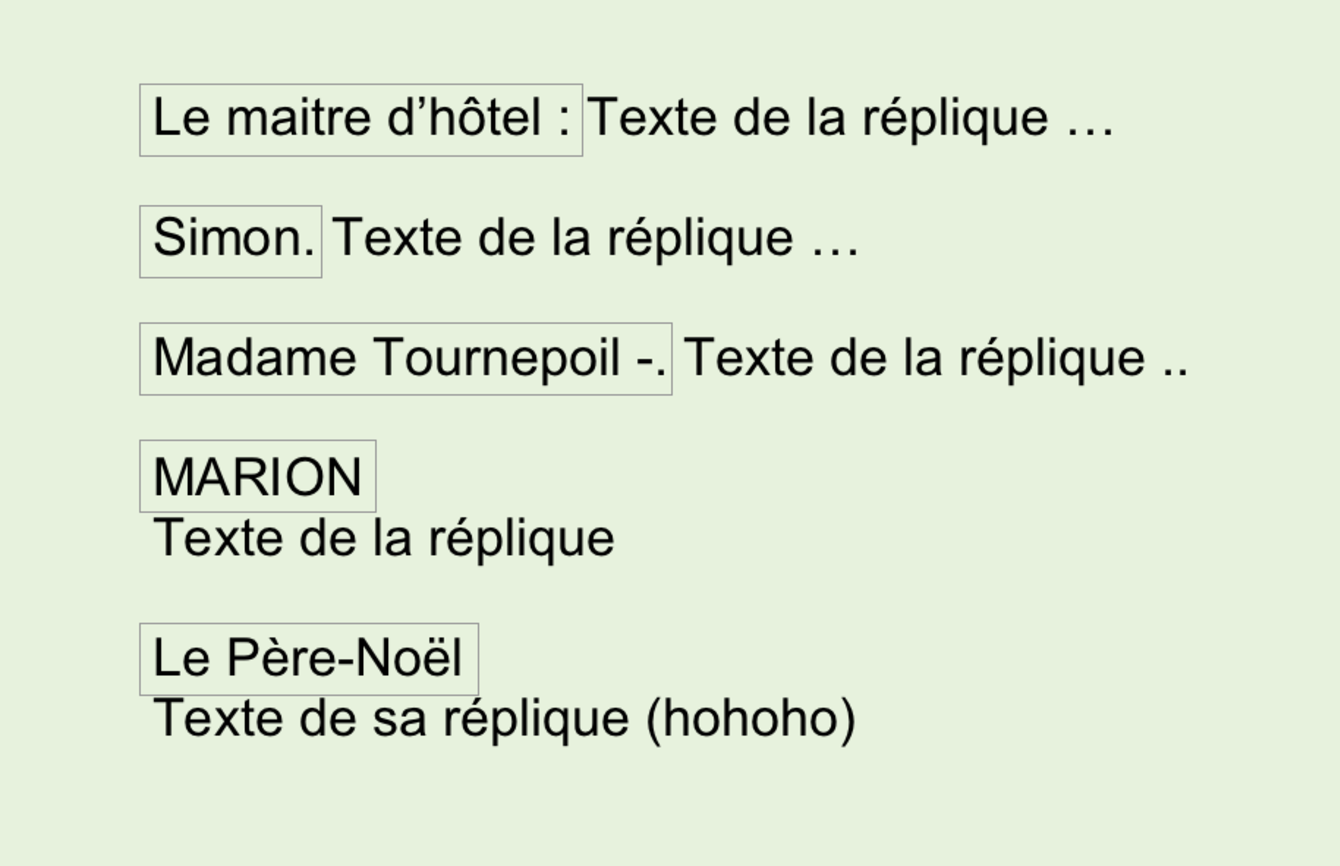
Characters must be identified clearly and consistently (meaning always the same way). Generally, Imparato works very well when the character's name starts at the beginning of the line and is followed by a separator (such as . or : or even - ...) before their line. The character's name can also be in uppercase.
Here are a few examples that Imparato recognizes very well:
Important
Aside from italics, which are reserved for stage directions, the font type and weight (bold) do not affect Imparato's ability to recognize characters.
Stage direction identification
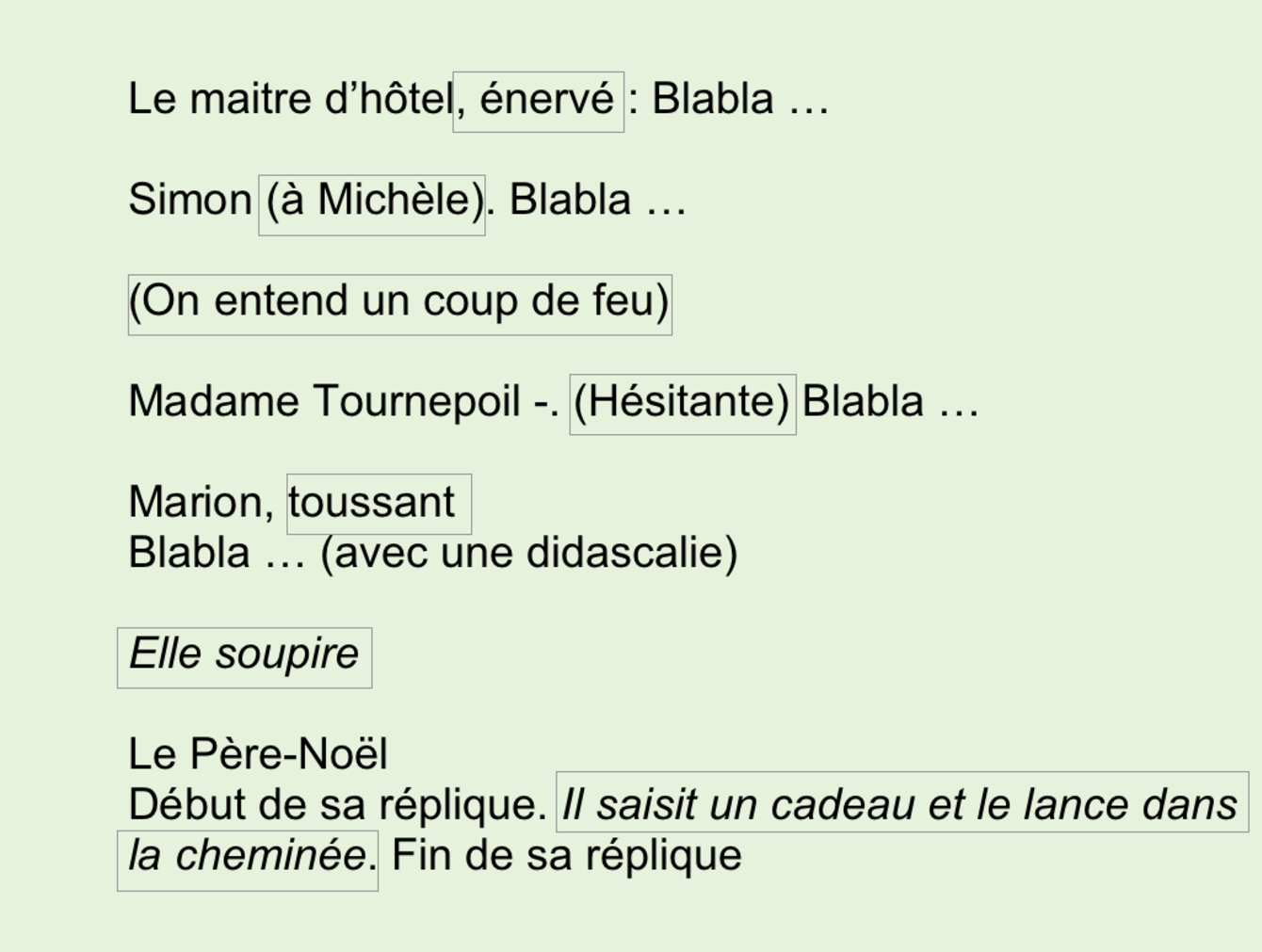
Anything inside parentheses or in italics will be considered a stage direction. Imparato can also interpret text located after the character's name as a stage direction.
Here are a few examples that Imparato recognizes very well:
Identifying sections of the text
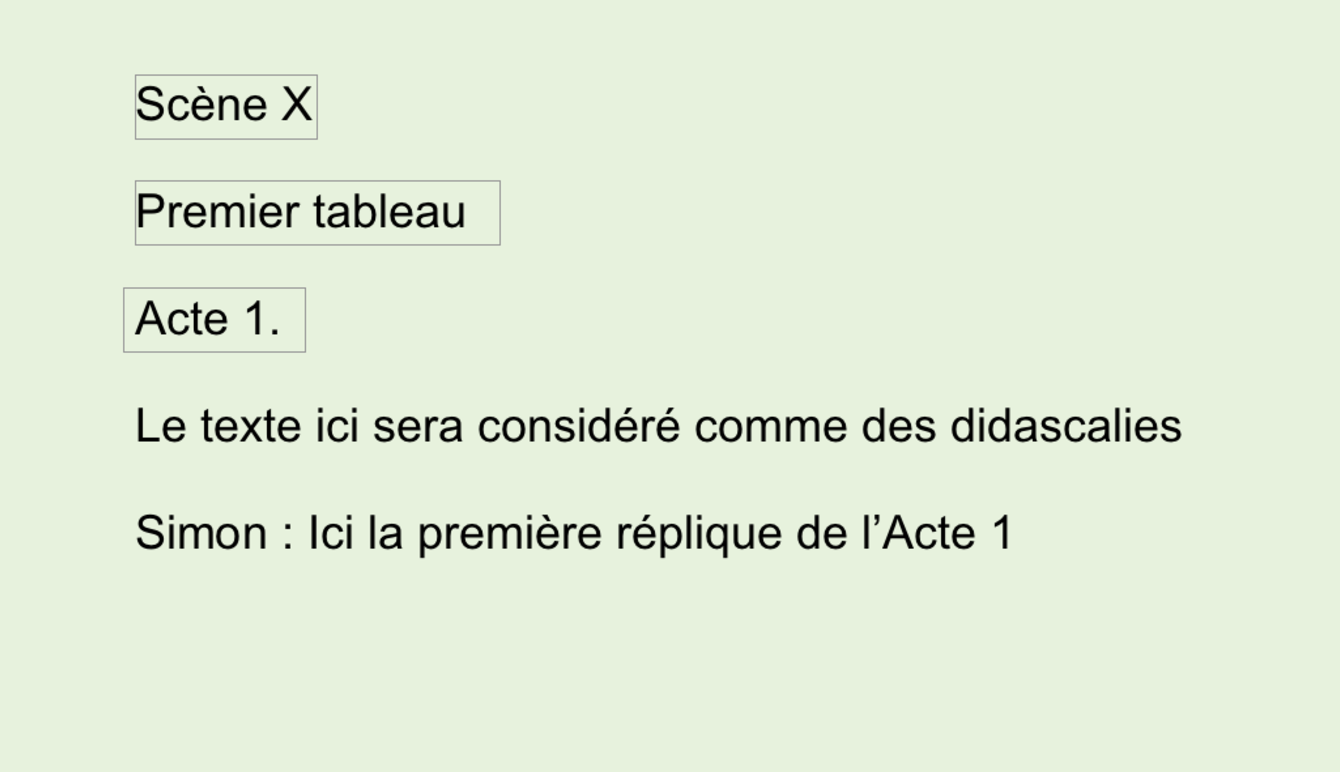
Imparato interprets the following keywords as section separators.
Important
Any text found between a section separator and the first line of that section will be considered a stage direction, regardless of its format.
Once Imparato has processed my PDF file, what should I do?
Once your PDF file has been processed by Imparato, it is placed in your account as a Draft. You still need to log in to Imparato from a computer to validate the automatic formatting and start the vocalization of your text.
This step is mandatory because you may need to make a few corrections to your text before starting its vocalization.
Follow these instructions to unlock a text in Draft status.